
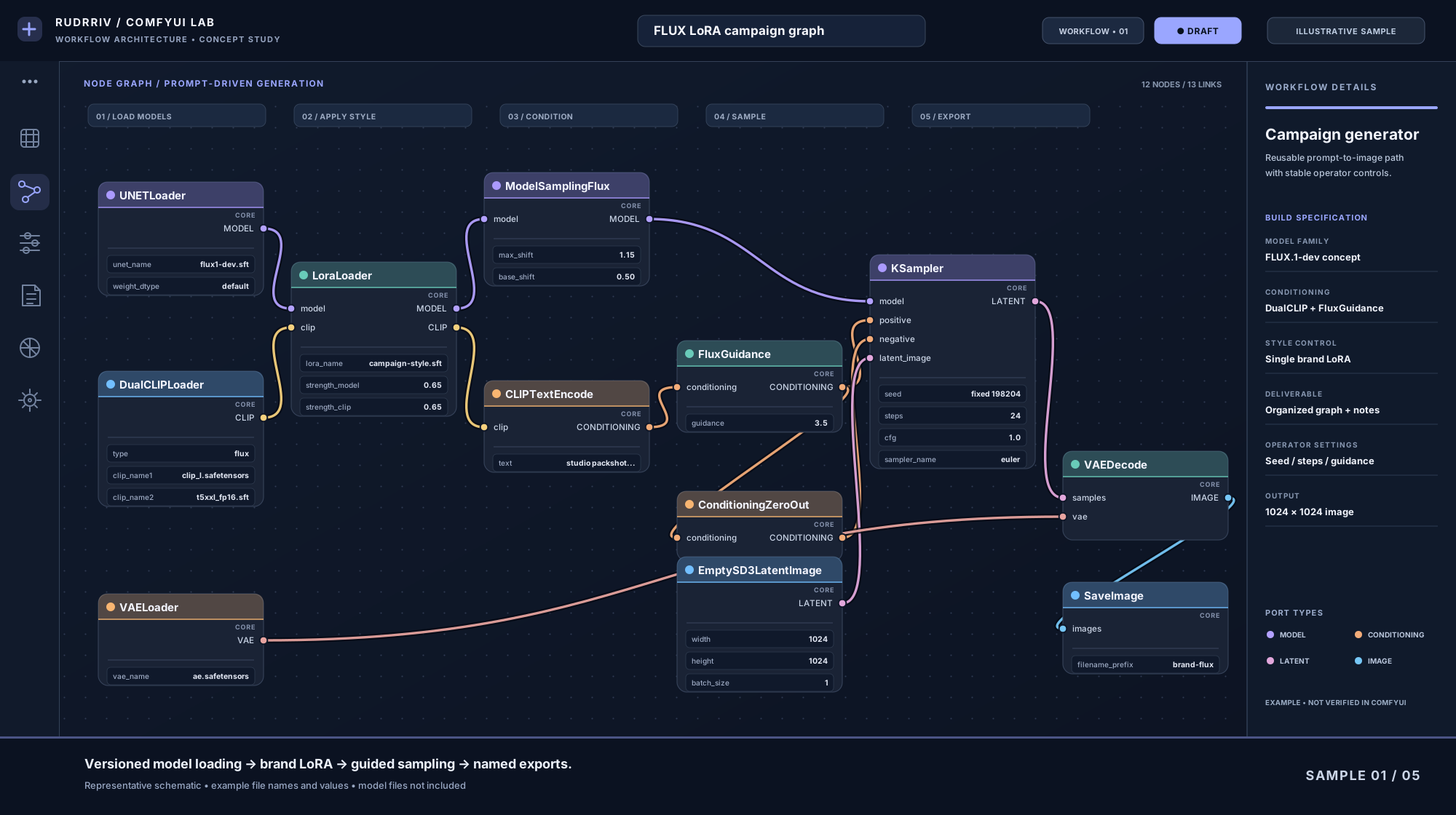
 01 / 05CONCEPT STUDY
FLUX.1 / BRANDED IMAGE PIPELINE
FLUX LoRA Campaign Generator
A readable generation graph that loads FLUX, applies a style LoRA, exposes guidance and seed controls, and saves consistently named assets.
FLUX.1Dual CLIPLoRASampling

ComfyUI is a node-based interface and inference environment for generative AI. Its flexibility is useful, but complex graphs can become difficult to maintain when nodes are added without a clear operating structure. Rudrriv's service is designed for teams that want a workflow created or cleaned up around a specific use case, with the important settings exposed and the dependency path documented.
The scope can cover image-generation workflows, controlled generation, repeatable product or campaign assets, reference-driven output, batch-oriented production and workflows intended to connect to a local, server or cloud environment. The exact model stack and nodes are selected from your requirements rather than forcing every project into the same graph.
Share the output you want to produce, your current ComfyUI environment if one exists, the model family you intend to use, any required checkpoints or LoRAs, ControlNet or adapter requirements, example inputs and desired outputs, and the settings your operators need to change safely. If the workflow will run on a server, cloud GPU or through an application, include that target environment before scope is confirmed.
Rudrriv reviews the inputs, desired output, environment, dependencies and acceptance criteria.
The assigned professional creates the workflow structure, configures agreed components and exposes useful controls.
The graph is run against representative inputs, checked for dependencies and refined within the included revision rounds.
You receive the agreed JSON, notes and package-specific documentation so the workflow can be rerun and maintained.
A larger graph is not automatically a better workflow. The objective is to use the nodes and dependencies required for the task, keep the logic readable, make operator-facing parameters easy to find, and document anything your team must install or preserve for future runs.
Choose by workflow complexity, control depth and handover requirements. If your graph needs custom node development, multiple independent pipelines or extensive deployment work, request a custom scope.
| Included | ₹1,999 Essential Core Workflow One focused, reusable workflow for a clearly defined generation task. |
₹4,999 Professional Recommended Production Workflow Deeper conditioning, controls and handover for regular production use. |
₹9,999 Advanced Automation-Ready Workflow Multi-stage logic and broader operational preparation for complex use. |
|---|---|---|---|
| Primary workflow | 1 focused graph | 1 production graph | 1 multi-stage graph |
| Agreed model families | 1 | Up to 2 | Up to 3 |
| LoRA / ControlNet / adapter components | Basic where required | Up to 2 agreed components | Advanced multi-control setup |
| Node organization & parameter exposure | ✓ | ✓ | ✓ |
| Batch / queue handling | — | Where required | ✓ |
| API-format workflow export | — | If required | ✓ |
| Dependency documentation | Quick-start notes | Annotated notes | Detailed dependency map |
| Revision rounds | 1 | 2 | 3 |
| Standard delivery | 2 working days | 4 working days | 7 working days |
| Package price | ₹1,999 | ₹4,999 | ₹9,999 |
Explore five distinct examples of custom node-graph design, from model conditioning to batch-ready exports. These are illustrative portfolio concepts, not verified client deliveries or tested ComfyUI workflow files.
01 / 05CONCEPT STUDYA readable generation graph that loads FLUX, applies a style LoRA, exposes guidance and seed controls, and saves consistently named assets.
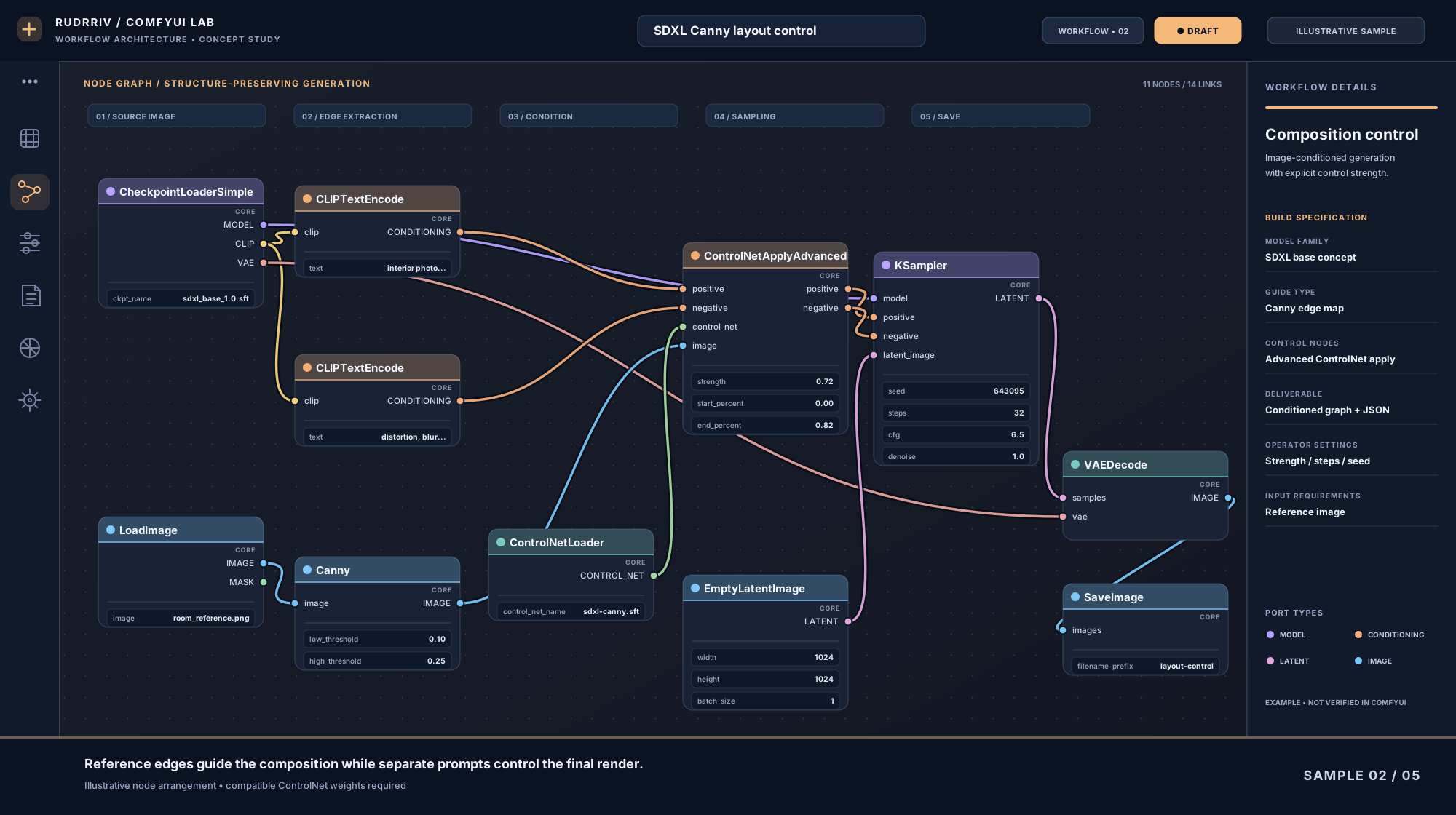 02 / 05CONCEPT STUDY
A reference-edge pipeline with Canny preprocessing, positive and negative ControlNet conditioning, and adjustable structural strength.
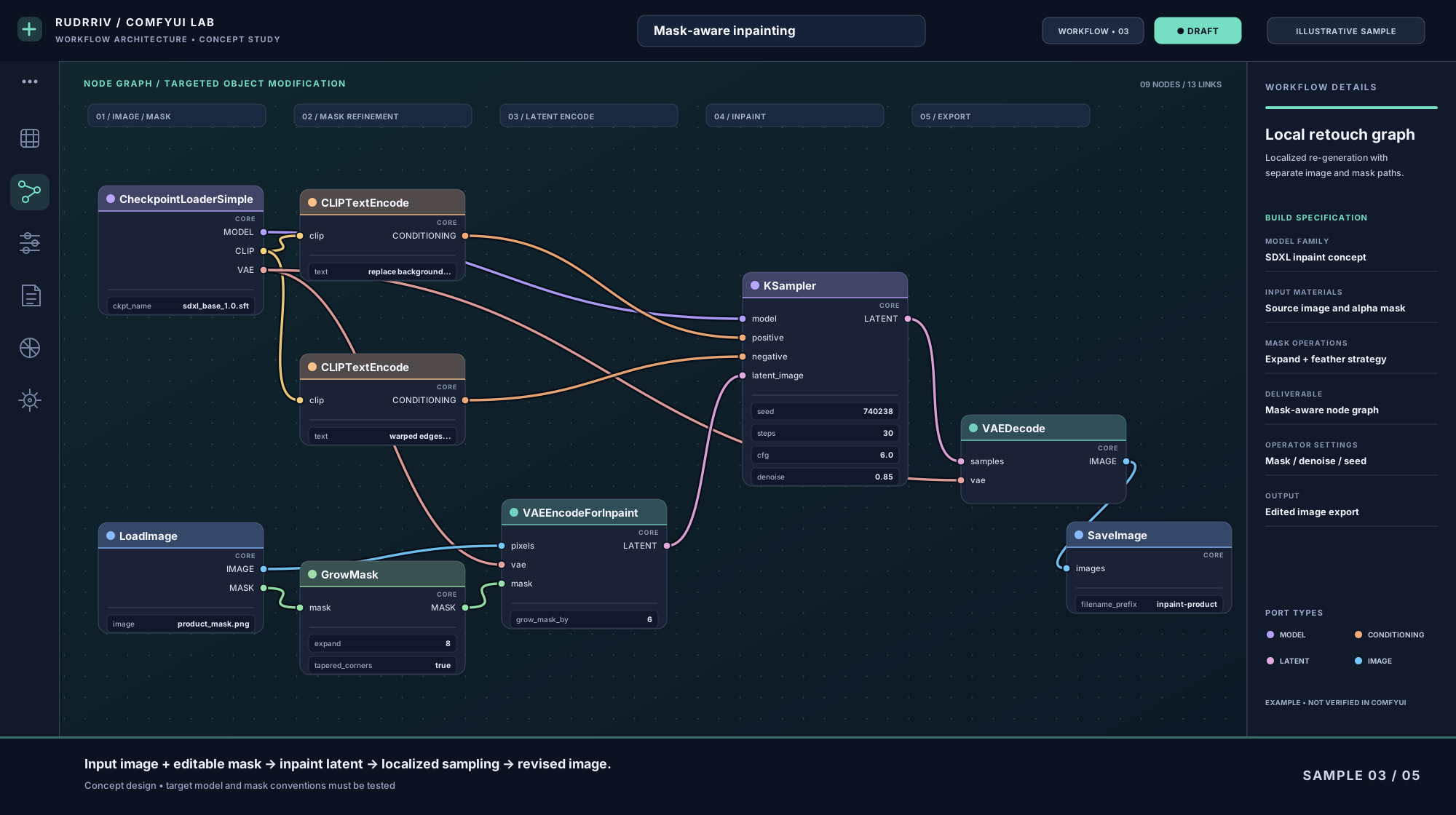 03 / 05CONCEPT STUDY
An image-plus-mask graph with growth controls, VAE inpaint encoding and localized sampling for targeted edits to product imagery.
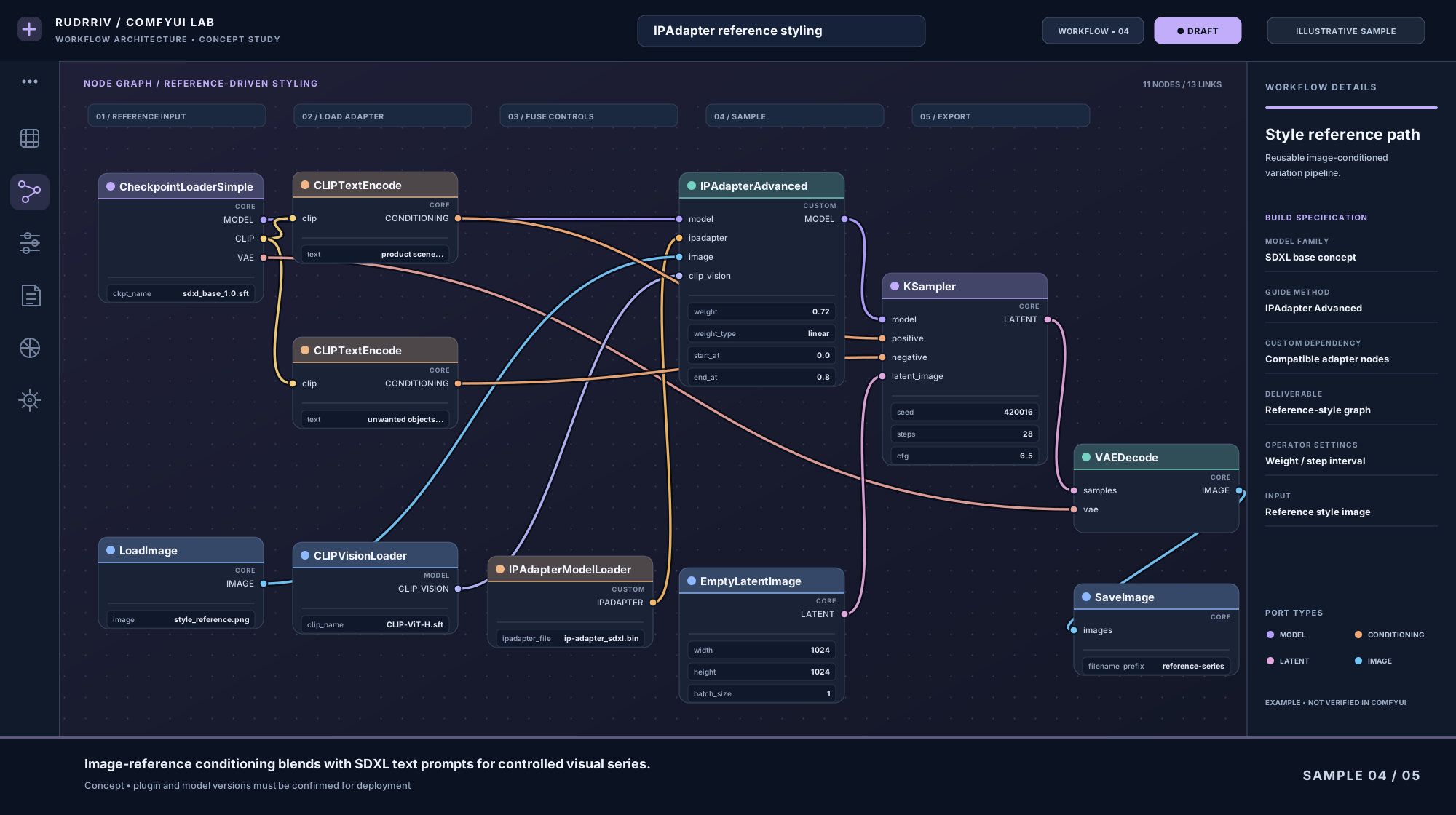 04 / 05CONCEPT STUDY
A reference-driven SDXL workflow showing image, CLIP Vision and IPAdapter inputs, with exposed blend weights and sampling controls.
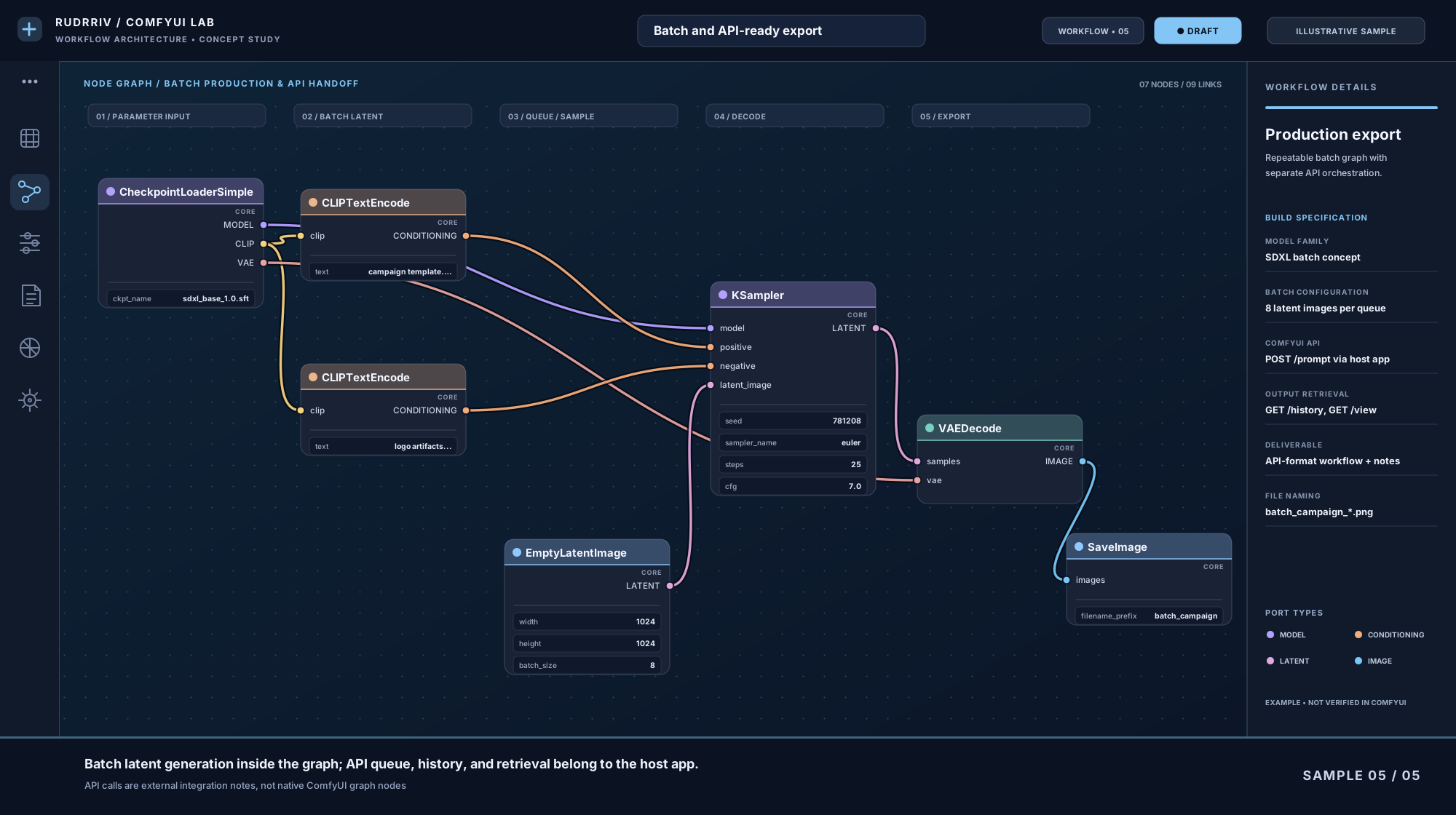 05 / 05CONCEPT STUDY
A batch-sized latent pipeline with clear file naming and handover notes distinguishing core ComfyUI nodes from external API queue operations.
The final result from our ComfyUI Workflow Creation project was strong and closely aligned with the brief. The team created a reusable ComfyUI workflow tailored to our image-generation process while keeping a close eye on node organization, model loading, conditioning, ControlNet use, parameter exposure, repeatability, and documentation. Early work improved consistently through feedback without becoming overcomplicated. Delivery stayed on schedule, and questions were answered clearly throughout the engagement. We ultimately achieved a workflow our team could rerun, adjust, and troubleshoot without rebuilding the graph from scratch. The files and documentation were easy to navigate and practical for our team to keep using.
We hired the team for ComfyUI Workflow Creation and needed a reusable ComfyUI workflow tailored to our image-generation process. The brief was handled carefully, especially around node organization, model loading, conditioning, ControlNet use, parameter exposure, repeatability, and documentation. Communication stayed clear, and revisions were incorporated without losing the original objective. The final delivery gave us a workflow our team could rerun, adjust, and troubleshoot without rebuilding the graph from scratch. Supporting materials were organized, useful, and ready for the next stage. The work felt tailored to our requirements rather than assembled from a generic template.
Our ComfyUI Workflow Creation brief had several moving parts, but the process stayed focused. The team translated our requirements into a reusable ComfyUI workflow tailored to our image-generation process. We especially valued the attention to node organization, model loading, conditioning, ControlNet use, parameter exposure, repeatability, and documentation. They responded quickly to comments and also explained when a requested change would weaken reliability or quality. The finished work resulted in a workflow our team could rerun, adjust, and troubleshoot without rebuilding the graph from scratch. The handoff was polished, easy to review, and noticeably stronger than our previous internal approach.
Tell us what the workflow must generate, which models or controls it should use, where it will run and how your team needs to operate it. Rudrriv will review the brief and recommend the right fixed package or custom scope.