
How WordPress Website Design Works
Understanding how WordPress website design works begins with one practical rule: design the customer journey and operating model before choosing a theme, plugin, or page builder. A successful WordPress project turns business goals into a sitemap, reusable page templates, clear content responsibilities, tested functionality, and a maintainable publishing system. The main caution is that attractive screens alone do not create a reliable website; performance, accessibility, security, content migration, analytics, ownership, and post-launch maintenance must be planned from the start.
For most service businesses, startups, professional firms, content-led brands, and many ecommerce operations, WordPress can provide a flexible and widely supported foundation. It is especially useful when internal teams need to publish or revise pages without asking a developer for every change. However, the platform still requires disciplined decisions about hosting, themes, plugins, user roles, data handling, updates, and quality assurance.
The best starting point is a short discovery phase. Define who will use the site, what they need to accomplish, which actions matter to the business, what content already exists, and which systems must connect to WordPress. These answers determine whether the project needs a standard theme, a custom component system, WooCommerce, multilingual support, membership features, third-party integrations, or a simpler website with fewer moving parts.
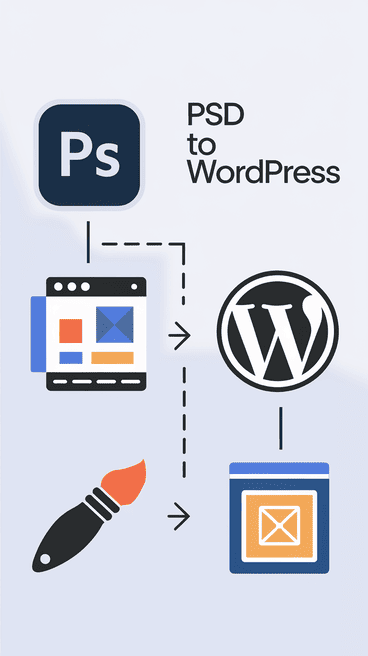
Quick Answer: How WordPress Website Design Works
WordPress website design normally follows eight connected stages: discovery, information architecture, content planning, wireframing, visual design, WordPress development, quality assurance, and launch. After launch, the site needs an agreed maintenance process for updates, backups, security, content changes, performance, and issue resolution.
A small business may use a carefully configured theme or block-based design system. A larger or more differentiated site may need custom templates and reusable components. Ecommerce, membership, multilingual, booking, and integration requirements add further planning and testing. The right approach is the simplest architecture that reliably supports the required customer tasks and internal publishing needs.
Before development begins, validate the sitemap, key page journeys, content availability, required integrations, ownership, budget, timeline, and acceptance criteria. This prevents expensive rework and reduces the chance of launching a site that looks complete but cannot be operated effectively.
Key Takeaways
- Start with user tasks: define what visitors must understand, compare, submit, buy, book, or download before designing pages.
- Plan reusable templates: consistent page structures make the site easier to scale, maintain, and govern.
- Choose technology proportionally: use custom code only where it creates clear value; avoid unnecessary plugins and complexity.
- Content is part of design: headings, proof, calls to action, media, forms, and metadata should be planned with the layout.
- Test complete journeys: responsive behavior, forms, accessibility, speed, tracking, redirects, and error states require formal QA.
- Protect ownership: the business should control its domain, hosting, administrator access, analytics, assets, and documentation.
- Budget for maintenance: WordPress remains reliable only when updates, backups, monitoring, and content operations have clear owners.
Table of Contents
- Begin with the website decision
- Map users, pages, and content
- Choose the WordPress build approach
- Compare design and development options
- Move from wireframes to WordPress
- Test quality before launch
- Plan cost, timeline, and ownership
- Learn from practical business examples
- Prevent common WordPress mistakes
- Summary: choose a maintainable WordPress site
Begin with the website decision, not the theme
The first design decision is not visual. It is deciding what the website must achieve and whether WordPress is the right operating platform. A professional-services firm may need strong service pages, expert profiles, lead forms, and publishing controls. An ecommerce business may need products, checkout, inventory connections, customer accounts, and campaign landing pages. An internal portal may need restricted access, workflow logic, and data integrations that could exceed what a conventional marketing website should handle.
Write a concise project brief covering business goals, priority audiences, required actions, content types, functional needs, integrations, compliance requirements, internal skills, and expected growth. Then separate must-have requirements from later enhancements. This creates a realistic first release and prevents a plugin-heavy build designed around speculative features.
Decision rule: WordPress is a strong candidate when content management, flexible page publishing, integrations, and broad ecosystem support matter. Evaluate alternatives when the core product requires highly specialized real-time workflows, unusually complex application logic, or operational constraints that a content management system should not carry.
Map users, pages, and content before visual design
Information architecture turns business requirements into a usable website. List the main visitor groups, the questions each group asks, the evidence they need, and the action they should take. Group related content into a sitemap, then define the templates required to present that content consistently. Typical templates include the homepage, service page, industry page, article, case study, landing page, contact page, and legal page.
Content planning should happen at the same time. Real copy reveals whether headings are too long, proof is missing, forms ask for unnecessary information, or a design depends on unavailable images. It also helps the team distinguish reusable fields from free-form page editing. Structured fields are often better for services, team profiles, locations, testimonials, products, and case studies because they improve consistency and reduce accidental layout damage.
Wireframes can then show hierarchy without distracting the team with colours or decorative details. Review whether users can understand the offer, find relevant proof, move between related pages, and complete the main action. Approving these flows before high-fidelity design is usually faster than correcting them after development.
Choose the WordPress build approach carefully
The build approach should match differentiation, editing needs, performance expectations, budget, and internal capability. A maintained off-the-shelf theme may suit a straightforward site with limited visual variation. A block-based system can give editors controlled flexibility. A custom theme or component library is more appropriate when the brand needs distinctive layouts, precise performance, strong accessibility, or reusable patterns across many content types.
Page builders can accelerate production and make visual editing easier, but they may introduce extra markup, vendor dependence, inconsistent styling, or performance overhead when used without governance. Custom development provides more control but needs stronger documentation and technical support. Neither choice is automatically superior; evaluate the people who will publish content and maintain the site after launch.
Plugins should solve defined requirements. Record why each plugin is needed, who maintains it, how it is licensed, what data it processes, and how the site will behave if it is removed or replaced. A smaller, well-maintained plugin set is usually easier to secure and troubleshoot than a site assembled from overlapping extensions.
Compare WordPress design and development options
Use the following matrix to select an approach based on the actual operating need rather than the fastest demonstration.
| Approach | Best fit | Main advantage | Main caution | Maintenance implication |
|---|---|---|---|---|
| Configured standard theme | Small brochure or content site with conventional layouts | Lower initial effort and faster setup | Limited differentiation and possible unused features | Theme and plugin updates must remain compatible |
| Block-based design system | Marketing teams needing flexible but governed page creation | Reusable patterns with editor control | Requires rules to prevent inconsistent pages | Maintain blocks, patterns, and editor guidance |
| Page-builder implementation | Teams prioritizing visual editing and rapid landing-page creation | Accessible visual composition | Potential lock-in, markup, and performance overhead | Builder updates and template discipline are essential |
| Custom WordPress theme | Distinctive brand, complex templates, accessibility, or performance priorities | Greater control over code and experience | Higher discovery, design, development, and QA effort | Needs documentation and competent technical support |
| WooCommerce or extended platform | Commerce, subscriptions, bookings, or account-based journeys | Content and transactions in one ecosystem | More integrations, security, testing, and operational complexity | Continuous updates, transaction testing, and monitoring |
A sensible decision often combines approaches. For example, a custom lightweight theme can use native WordPress blocks for controlled editing, while a small set of specialized plugins handles forms, SEO controls, caching, and security. The design system should make common tasks easy without giving every editor unrestricted control over spacing, typography, and component behaviour.
Move from wireframes to a working WordPress site
After wireframes are approved, visual design defines typography, colour, spacing, imagery, states, and responsive behaviour. Designers should specify desktop and mobile layouts, navigation, forms, buttons, cards, tables, alerts, empty states, error messages, and interactive behaviour. Accessibility requirements such as contrast, focus visibility, semantic heading order, labels, keyboard use, and reduced-motion considerations belong in this stage.
Development then converts approved components into WordPress templates, blocks, fields, and settings. Work should occur in a controlled environment with version management, backups, and a documented deployment method. Developers configure hosting, caching, image handling, security settings, user roles, analytics, consent tools, email delivery, redirects, and integrations as required.
Content migration should be treated as a workstream, not a final upload. Clean old formatting, map URLs, preserve useful metadata, optimize images, assign redirects, and verify internal links. For an existing website, capture a pre-launch inventory of important URLs and search performance so the team can protect valuable content during migration.
Test WordPress quality before launch
Quality assurance should test complete user journeys rather than isolated pages. Confirm navigation, search, forms, emails, account flows, checkout, downloads, filters, consent choices, and integrations. Test representative devices and browsers, slow connections, long content, missing images, invalid form entries, and permission differences between administrators, editors, and subscribers.
- Responsive QA: verify layouts, touch targets, menus, tables, media, and forms across practical viewport sizes.
- Accessibility QA: review keyboard navigation, labels, heading hierarchy, contrast, focus states, alternative text, and error feedback.
- Performance QA: test image delivery, caching, script loading, fonts, server response, and real-page behaviour.
- SEO QA: verify titles, descriptions, canonical settings, robots controls, XML sitemaps, redirects, structured data, and indexability.
- Security QA: confirm HTTPS, user permissions, update status, backup restoration, form protection, and logging where appropriate.
- Analytics QA: confirm consent-aware tracking, events, conversions, campaign parameters, and exclusion of internal traffic where needed.
Define launch acceptance criteria before testing begins. Each issue should have an owner, severity, status, and retest result. A launch decision is stronger when critical defects are closed, known limitations are documented, backups are verified, and rollback steps are understood.
Plan WordPress cost, timeline, and ownership
WordPress project cost is driven by decision complexity rather than the number of pages alone. Custom templates, content migration, ecommerce, multilingual publishing, membership, integrations, accessibility, performance targets, data handling, and stakeholder approvals all affect effort. A proposal should separate discovery, UX, visual design, development, content, migration, testing, launch, training, and post-launch support.
The schedule should identify dependencies. Delayed content, brand decisions, legal review, access to external systems, or slow approvals can block development even when the technical team is ready. Use milestone reviews for sitemap, wireframes, visual design, developed templates, migrated content, QA, and launch readiness. State how revisions are handled and what constitutes approval.
Ownership must be explicit. The business should control the domain, hosting account, WordPress administrator access, analytics, search tools, integrations, and project documentation. Confirm how theme code, licensed plugins, fonts, stock assets, and third-party services are licensed. At handover, provide credentials through a secure method, remove unnecessary access, deliver backups and documentation, and explain the maintenance process.
Use practical scenarios to choose the right scope
Professional firm replacing an outdated brochure site
A consulting firm assumes it needs a highly animated custom website. Customer interviews show that visitors mainly need clear expertise, sector experience, team credibility, and an easy enquiry route. A better decision is a lightweight custom WordPress theme with reusable service, industry, insight, and profile templates. Specialist support is most useful for information architecture, migration, accessibility, and analytics rather than complex animation.
Ecommerce brand adding content-led growth
An ecommerce company considers rebuilding everything because its campaign pages are difficult to edit. The core transaction system works, but content and merchandising are constrained. The better decision may be a governed WooCommerce or WordPress content layer with reusable landing-page blocks, improved product content, and carefully tested integrations. The team should validate catalogue, checkout, inventory, tax, and performance requirements before approving the architecture.
Startup validating demand before custom software
A startup wants a custom platform before it has validated customer demand. Its immediate need is to explain the proposition, collect qualified enquiries, publish evidence, and test messaging. A focused WordPress website with analytics and structured experiments is the better first step. If validated behaviour later requires accounts, real-time workflows, or complex data processing, the company can plan a separate application rather than forcing WordPress to become the product.
Multisite enterprise team needing governance
An enterprise team has many departments creating inconsistent pages. Giving every editor an unrestricted page builder would increase the problem. A governed block system, approved patterns, role-based permissions, documentation, and a publishing workflow fit better. Specialist guidance may help define component standards, migration rules, accessibility acceptance, and release governance across sites.
Prevent WordPress design mistakes before they scale
The most expensive mistakes usually begin as planning shortcuts. Selecting a theme before the sitemap, installing multiple plugins for the same purpose, postponing content, ignoring mobile layouts, or treating accessibility and performance as final checks can create rework across the whole site. Another common mistake is giving editors unlimited visual control without patterns, training, or approval rules.
Avoid building around a single developer’s undocumented knowledge. Require a clear repository or code handover where applicable, environment details, plugin and license records, backup instructions, deployment notes, user-role documentation, and a maintenance calendar. Test recovery rather than assuming backups work.
Do not launch without redirects and measurement when replacing an existing site. Broken URLs, lost metadata, untracked forms, and changed content hierarchy can damage customer journeys and search visibility. Compare the new site against the pre-launch inventory and monitor critical pages, forms, uptime, errors, and analytics during stabilization.
Summary: choose a maintainable WordPress site
WordPress website design works best when the project begins with customer tasks, content, and operational requirements. A responsive WordPress website is often enough for businesses that need broad reach, search visibility, credible information, lead generation, publishing, and standard ecommerce or booking journeys. PWA-style capabilities can be useful when repeat web users need installability, caching, or selective offline behaviour, but they should be added only after browser support and user value are validated. A separate mobile app is justified when deep device access, intensive offline use, app-store distribution, push-led engagement, or high-frequency product behaviour is central—not simply because competitors have one.
Before development, validate the sitemap, templates, functionality, content readiness, integrations, scope, budget, timeline, maintenance model, ownership, quality assurance, and handover. Choose the simplest architecture that can meet the requirement reliably and evolve without creating avoidable technical debt.
Rudrriv can support WordPress discovery, UI/UX design, responsive development, content migration, quality assurance, maintenance, and dedicated specialist capacity where those capabilities match the project. The engagement should be scoped around the website’s actual business and operational requirements rather than a fixed package.
FAQs About WordPress Website Design
How does WordPress website design work?
WordPress website design starts by defining the site’s business goals, users, content, functions, and technical constraints. The team then plans the sitemap and page templates, creates responsive layouts, configures WordPress, builds or adapts the theme, adds required plugins, loads content, tests the site, launches it, and establishes maintenance responsibilities.
Should a business use a custom WordPress theme or a page builder?
A custom theme is usually better when performance, accessibility, maintainability, or a distinctive component system is important. A page builder can suit smaller sites that need rapid visual editing and have modest technical complexity. The decision should consider who will update the site, expected traffic, design flexibility, and long-term maintenance.
How long does WordPress website design take?
A focused brochure website may take several weeks, while an ecommerce, multilingual, membership, integration-heavy, or content-migration project can take longer. The schedule depends on discovery, approvals, content readiness, custom functionality, testing, and stakeholder availability. A credible plan separates design, development, content, QA, launch, and stabilization.
What should be prepared before WordPress design begins?
Prepare the business objective, target audiences, required pages, priority user actions, brand assets, content ownership, functional requirements, integrations, compliance needs, hosting constraints, approval contacts, and launch target. Existing analytics, search data, customer questions, and competitor examples can also improve planning.
Is WordPress suitable for ecommerce websites?
WordPress with WooCommerce can suit many ecommerce businesses, especially when content and commerce need to work together. It requires careful decisions about catalogue size, checkout, payments, tax, shipping, inventory, security, performance, extensions, and operational support. Very complex commerce requirements may justify evaluating dedicated commerce platforms as well.
How much does WordPress website design cost?
Cost depends on page templates, custom design depth, content volume, integrations, ecommerce or membership functions, migration, accessibility, performance work, testing, and post-launch support. Compare proposals by deliverables, assumptions, exclusions, ownership, and acceptance criteria rather than by page count or headline price alone.
How can a WordPress site be made fast and secure?
Use suitable hosting, a maintained theme, a limited set of reputable plugins, optimized images, caching, current PHP and WordPress versions, HTTPS, role-based access, backups, monitoring, and a controlled update process. Performance and security should be tested before launch and reviewed continuously rather than added as final-stage fixes.
Who owns the WordPress website after launch?
The client should retain ownership or administrative control of the domain, hosting, WordPress administrator account, analytics, search tools, licensed assets where transferable, source files, content, and documentation. Contracts should state ownership, license restrictions, credentials handover, backup delivery, and access removal at project close.
What testing is required before launching a WordPress website?
Test page templates, forms, navigation, search, checkout or account flows, responsive behavior, browser compatibility, accessibility basics, redirects, analytics, consent tools, metadata, structured data, performance, backups, security controls, and error handling. The team should record defects, retest fixes, and obtain approval against defined acceptance criteria.
What maintenance does a WordPress website need?
Ongoing maintenance includes backups, core and plugin updates, security monitoring, uptime checks, form testing, performance reviews, content updates, broken-link checks, analytics validation, license management, and periodic recovery tests. Assign owners, frequency, escalation steps, and a rollback method before the site goes live.
Need a clearer WordPress project scope?
Share your website goals, users, content, required functions, integrations, current platform, and internal capacity. Rudrriv can help define a practical WordPress design, development, migration, QA, or maintenance scope with clear responsibilities and handover expectations.
Discuss your requirementAt Rudrriv, we make it easier for businesses to access the right expertise, execute important work, and scale with confidence.